Resident Evil: VR Experience Guide
Resident Evil: VR Experience Guide
Welcome to our comprehensive guide to Resident Evil VR experiences. This guide covers the available VR games, hardware requirements, gameplay tips, and more for the Resident Evil series in virtual reality.
Resident Evil VR Games
Resident Evil 7: Biohazard VR
-
Overview
- Released in 2017
- Available on PlayStation VR, Oculus Rift, HTC Vive, and Valve Index
- First Resident Evil game to feature full VR support
- Considered one of the best VR horror games of all time
-
Gameplay
- First-person perspective
- Immersive horror experience
- Motion controls for interacting with the environment
- Teleport or smooth movement options
-
Features
- Full campaign support
- VR-exclusive features
- Adjustable comfort settings
- 3D audio for enhanced immersion
Resident Evil Village VR
-
Overview
- Released in 2021
- Available on PlayStation VR2
- Full VR adaptation of the main game
- Enhanced graphics and features for VR
-
Gameplay
- First-person perspective
- Immersive horror experience
- Motion controls for interacting with the environment
- Smooth movement with comfort options
-
Features
- Full campaign support
- VR-exclusive features
- Adjustable comfort settings
- 3D audio for enhanced immersion
- Eye tracking for more natural interactions
Other VR Experiences
-
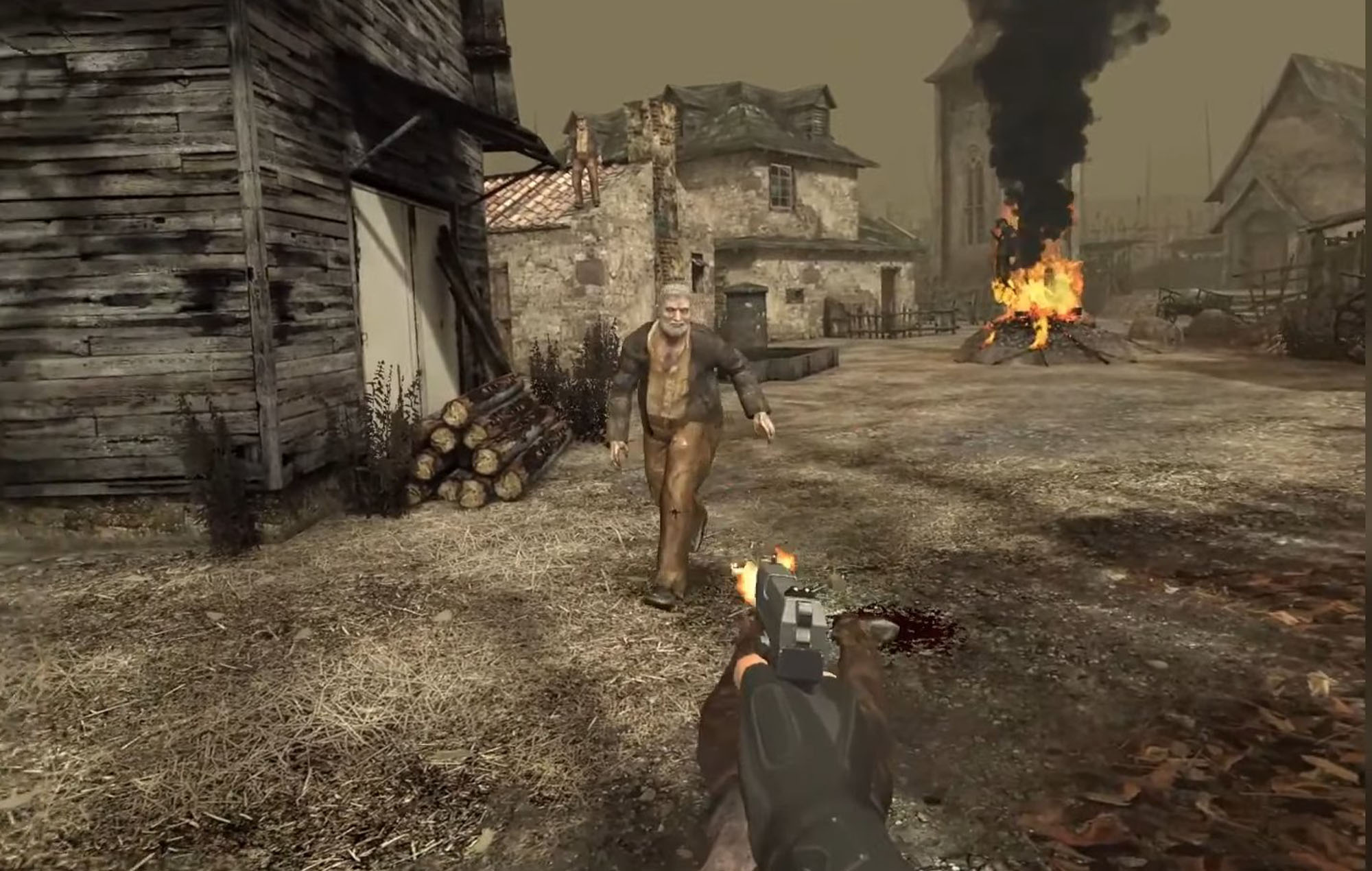
Resident Evil 4 VR
- Released in 2021
- Available on Oculus Quest 2 and Quest Pro
- Full VR adaptation of the classic game
- Enhanced controls and features for VR
-
Resident Evil: Village Gold Edition VR
- Released in 2023
- Available on PlayStation VR2
- Includes the base game and DLC in VR
- Enhanced graphics and features
Hardware Requirements
PlayStation VR
-
Compatible Hardware
- PlayStation 4 or PlayStation 5
- PlayStation VR headset
- PlayStation Camera
- PlayStation Move controllers (optional but recommended)
-
System Requirements
- PlayStation 4: 8 GB RAM, 500 GB storage
- PlayStation 5: 16 GB RAM, 825 GB storage
- Internet connection for updates
-
Setup
- Connect the PlayStation Camera to your console
- Set up the PlayStation VR headset
- Calibrate the headset and controllers
- Adjust the camera position
Oculus Quest 2/Quest Pro
-
Compatible Hardware
- Oculus Quest 2 or Quest Pro headset
- Oculus Touch controllers
- Smartphone for initial setup
-
System Requirements
- No PC required (standalone)
- Internet connection for setup and updates
- At least 10 GB free space for Resident Evil 4 VR
-
Setup
- Download the Oculus app on your smartphone
- Follow the setup instructions
- Calibrate the headset and controllers
- Set up your play area
PC VR (Oculus Rift, HTC Vive, Valve Index)
-
Compatible Hardware
- PC with VR-ready specifications
- VR headset (Oculus Rift, HTC Vive, Valve Index)
- VR controllers
- Base stations (for HTC Vive and Valve Index)
-
System Requirements
- Minimum: Intel Core i5-4590 or AMD FX 8350, 8 GB RAM, NVIDIA GTX 970 or AMD R9 290, Windows 10
- Recommended: Intel Core i5-6600K or AMD Ryzen 5 1400, 16 GB RAM, NVIDIA GTX 1060 or AMD RX 480, Windows 10
-
Setup
- Install SteamVR or Oculus software
- Connect your VR headset to your PC
- Calibrate the headset and controllers
- Set up your play area
PlayStation VR2
-
Compatible Hardware
- PlayStation 5
- PlayStation VR2 headset
- PlayStation VR2 Sense controllers
-
System Requirements
- PlayStation 5: 16 GB RAM, 825 GB storage
- Internet connection for updates
-
Setup
- Connect the PlayStation VR2 to your PlayStation 5
- Follow the setup instructions
- Calibrate the headset and controllers
- Adjust the headset fit
VR Gameplay Tips
Comfort Tips
-
Adjust Your Headset
- Ensure the headset is properly fitted
- Adjust the IPD (interpupillary distance) for clear vision
- Take breaks if you experience discomfort
-
Movement Options
- Use teleport movement if you experience motion sickness
- Gradually work your way up to smooth movement
- Take breaks if you experience motion sickness
-
Play Area
- Ensure you have enough space to move around
- Clear your play area of obstacles
- Use a play mat to mark your boundaries
-
Physical Comfort
- Sit down if you experience discomfort standing
- Take regular breaks
- Stay hydrated
Gameplay Strategies
-
Hand Placement
- Keep your hands in front of you for better immersion
- Use both hands for more natural interactions
- Practice using the controllers before playing
-
Movement
- Move slowly and deliberately
- Use cover effectively
- Be aware of your surroundings
-
Combat
- Aim with your dominant hand
- Use both hands for more stable aiming
- Reload your weapons regularly
- Use environmental hazards to your advantage
-
Exploration
- Take your time exploring the environment
- Use your hands to interact with objects
- Look around for hidden items
- Listen for audio cues
Horror Management
-
Take Breaks
- Take breaks if the horror becomes too intense
- Play in short sessions
- Have a friend nearby if needed
-
Adjust Settings
- Lower the volume if the sound is too intense
- Adjust the brightness if needed
- Use comfort settings to reduce motion sickness
-
Mindset
- Remember it’s just a game
- Focus on the gameplay rather than the horror
- Use humor to cope with intense moments
Best VR Experiences
Scariest VR Experiences
-
Resident Evil 7: Biohazard VR
- Intimate and claustrophobic
- Immersive horror elements
- Realistic graphics and sound
- Memorable scares
-
Resident Evil Village VR
- Atmospheric and eerie
- Immersive environment
- Memorable villains
- Intense boss fights
-
Resident Evil 4 VR
- Action-packed horror
- Immersive combat
- Classic Resident Evil gameplay
- Memorable moments
Most Immersive VR Experiences
-
Resident Evil Village VR
- Stunning graphics
- Immersive environment
- Eye tracking for more natural interactions
- 3D audio
-
Resident Evil 7: Biohazard VR
- Intimate and claustrophobic
- Immersive horror elements
- Realistic graphics and sound
- Interactive environment
-
Resident Evil 4 VR
- Action-packed gameplay
- Immersive combat
- Interactive environment
- Classic Resident Evil atmosphere
Best for Beginners
-
Resident Evil 4 VR
- More action-oriented
- Less intense horror
- Classic gameplay
- Adjustable difficulty
-
Resident Evil Village VR
- More open environment
- Varied gameplay
- Memorable characters
- Adjustable difficulty
-
Resident Evil 7: Biohazard VR
- Tutorial section
- Gradual introduction to horror
- Adjustable difficulty
- Comfort settings
Troubleshooting
Common Issues
-
Motion Sickness
- Cause: Movement in VR
- Solution: Use teleport movement, take breaks, adjust comfort settings
-
Blurry Vision
- Cause: Incorrect IPD setting or headset fit
- Solution: Adjust the IPD, ensure the headset is properly fitted
-
Tracking Issues
- Cause: Poor lighting or obstructions
- Solution: Ensure proper lighting, clear your play area
-
Audio Issues
- Cause: Incorrect audio settings or hardware issues
- Solution: Check audio settings, ensure headphones are properly connected
-
Performance Issues
- Cause: Insufficient hardware or overheating
- Solution: Ensure your hardware meets requirements, take breaks to cool down
Advanced Troubleshooting
-
Headset Calibration
- Solution: Recalibrate your headset and controllers
- Steps: Follow the calibration instructions for your specific headset
-
Software Updates
- Solution: Ensure your VR software and games are up to date
- Steps: Check for updates in your VR platform
-
Hardware Maintenance
- Solution: Clean your headset and controllers regularly
- Steps: Use a microfiber cloth to clean the lenses, keep controllers dry
-
Network Issues
- Solution: Ensure a stable internet connection for online features
- Steps: Use a wired connection if possible, restart your router
The Future of Resident Evil VR
Upcoming VR Projects
-
Resident Evil 4 Remake VR
- Rumored to be in development
- Would likely be available on PlayStation VR2 and PC VR
- Would feature enhanced graphics and gameplay
-
Resident Evil 9 VR
- Likely to include VR support from launch
- Would feature the latest VR technology
- Would be a major VR release
-
More VR Adaptations
- Possible VR adaptations of other Resident Evil games
- Enhanced versions of existing VR experiences
- New VR-exclusive Resident Evil content
Technological Advances
-
Eye Tracking
- More natural interactions
- Improved graphics (foveated rendering)
- Enhanced immersion
-
Haptic Feedback
- More realistic touch sensations
- Enhanced immersion
- Better feedback for gameplay
-
Full Body Tracking
- More natural movement
- Enhanced immersion
- Better interaction with the environment
-
Wireless Technology
- More freedom of movement
- Less setup time
- Better overall experience
Conclusion
Resident Evil VR experiences offer a new level of immersion and horror that traditional gaming can’t match. Whether you’re playing Resident Evil 7 in VR, exploring the village in Resident Evil Village VR, or reliving the classic in Resident Evil 4 VR, these experiences are sure to terrify and entertain you.
By following this guide, you can ensure that you have the best possible VR experience with the Resident Evil series. From hardware requirements to gameplay tips, this guide covers everything you need to know to get started with Resident Evil VR.